Complete Submission
After upload and any required forms are complete, submit the visit from the Visit Dashboard. This notifies the next workflow role and completes the main Investigator task for that visit.
- Open the correct visit from Open the Visit Dashboard.
- Click Submit.
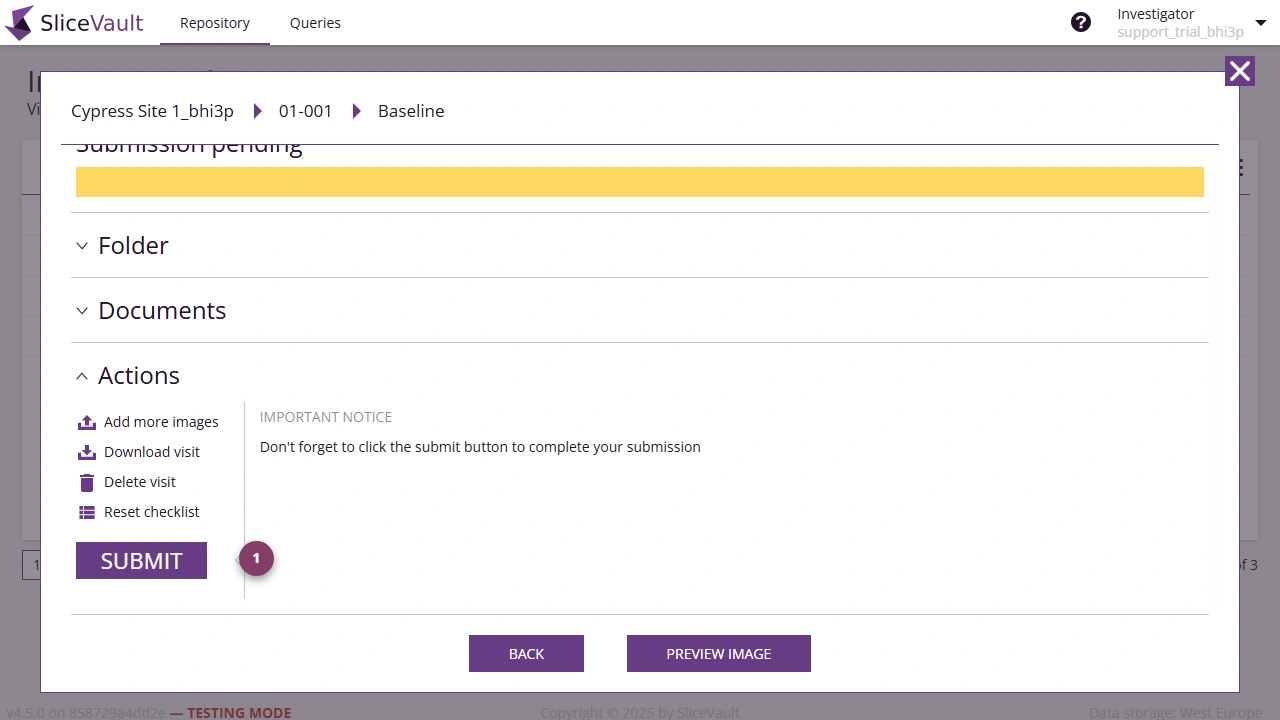
- Use 1 to submit the visit.
If prompted, please complete the electronic signature process before proceeding.
If the button is disabled, the visit still has one or more unfinished requirements, most commonly an incomplete DTF or unfinished upload processing.
The Visit Dashboard is your last chance to verify the uploaded data before the visit is moved forward and normal editing is no longer available.
Submission sends the visit to the next configured step in the workflow. After submission, the repository square changes color to show that the visit is no longer waiting for Investigator action.
If the visit still cannot be submitted after the form and upload steps are complete, see Why can’t I submit the visit?.