Need to Send QC1 Directly to Reader?
Access note: This feature is only visible when the relevant add-on has been enabled for the study and assigned to your user account. If you cannot see it, contact your Trial Administrator or main study contact. Trial Administrators can review add-on access in Edit User Access.
Use Share with Reader when the workflow should move a visit directly from QC1 to Reader without going through QC2.
Typical Users
- QC1 users in single-QC workflows
- Studies configured without a QC2 step
What Problem It Solves
This feature provides a controlled shortcut to central reading while keeping the audit trail intact.
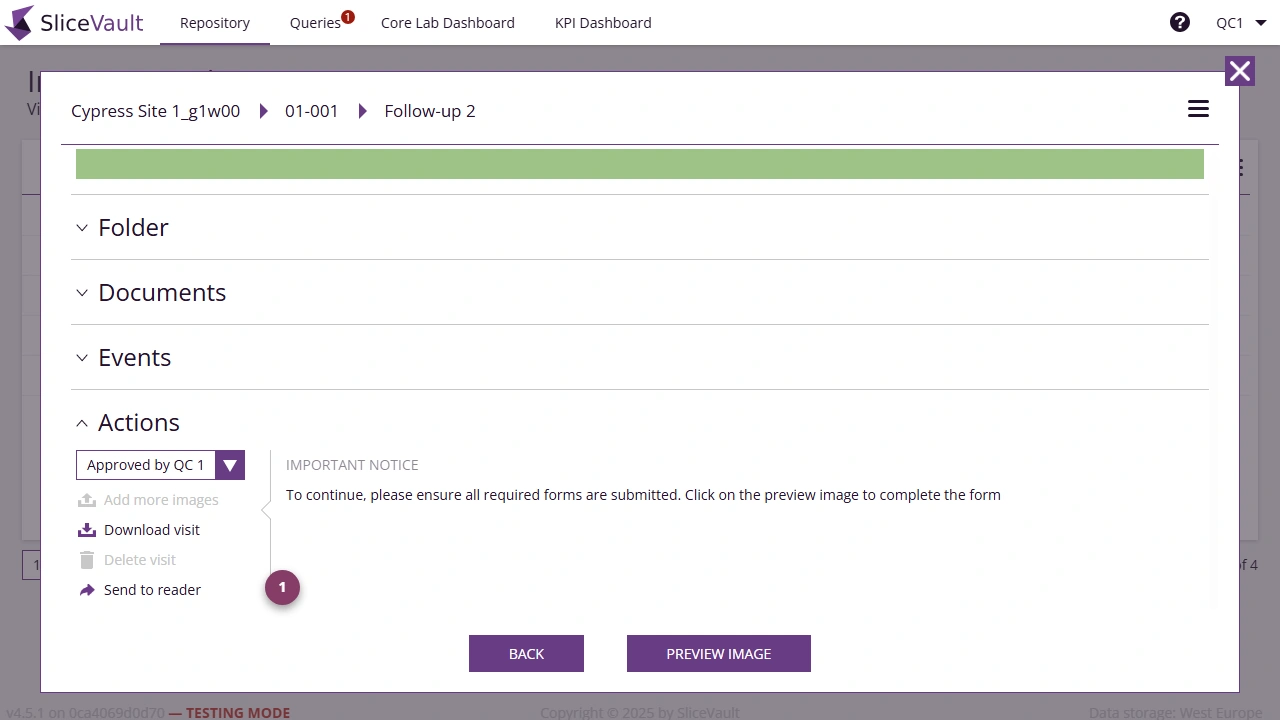
- Use 1 to send the approved visit directly to the Reader workflow.
When a QC1 user uses Share with Reader on an approved visit, the visit status changes to Pending Reader.
Note: This function is only available when the visit has already reached the Approved by QC 1 state.