Create a Site
As a Trial Administrator, you set up and maintain investigator sites from the administration dashboard.
Add a New Site
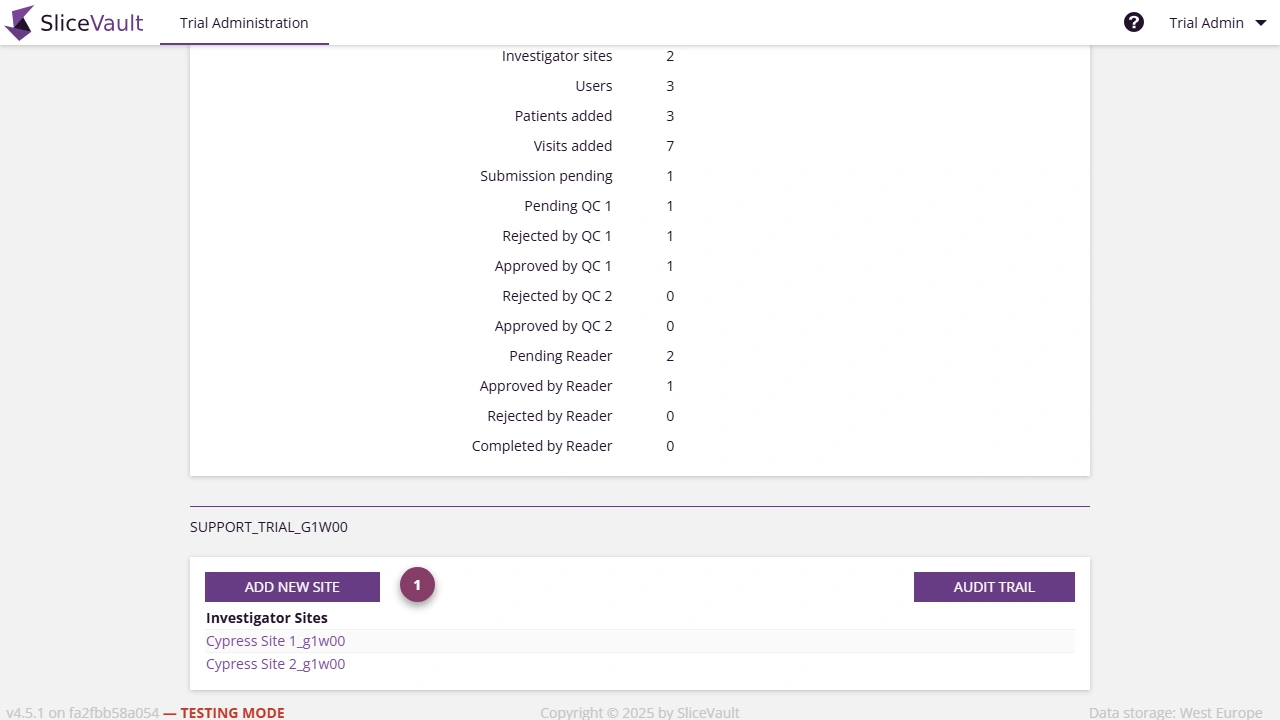
- Use 1 to open Add New Site from the trial administration dashboard.
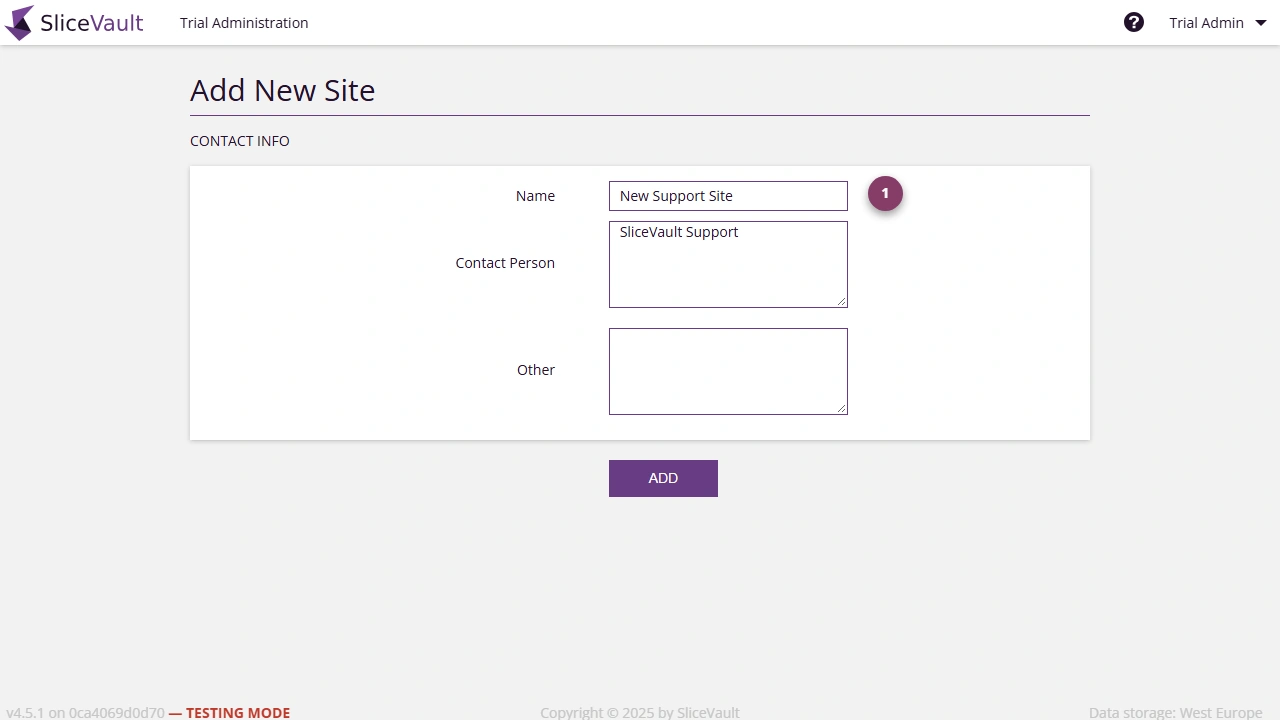
- Use 1 to complete the main site details and create the record.
- Save the new site to open the site editor for further configuration.
After the site is created, continue to Manage Sites to configure patient ID rules, activation settings, and site access.