Manage Sites
After creating a site, you can manage its configuration, access rules, and investigator permissions from the site editor.
Access the Site Editor
From the trial administration dashboard, you can open the configuration page for any existing site by clicking on its name. This page allows you to adjust how the site operates within the trial, including patient ID handling, site details, access control, and investigator permissions.
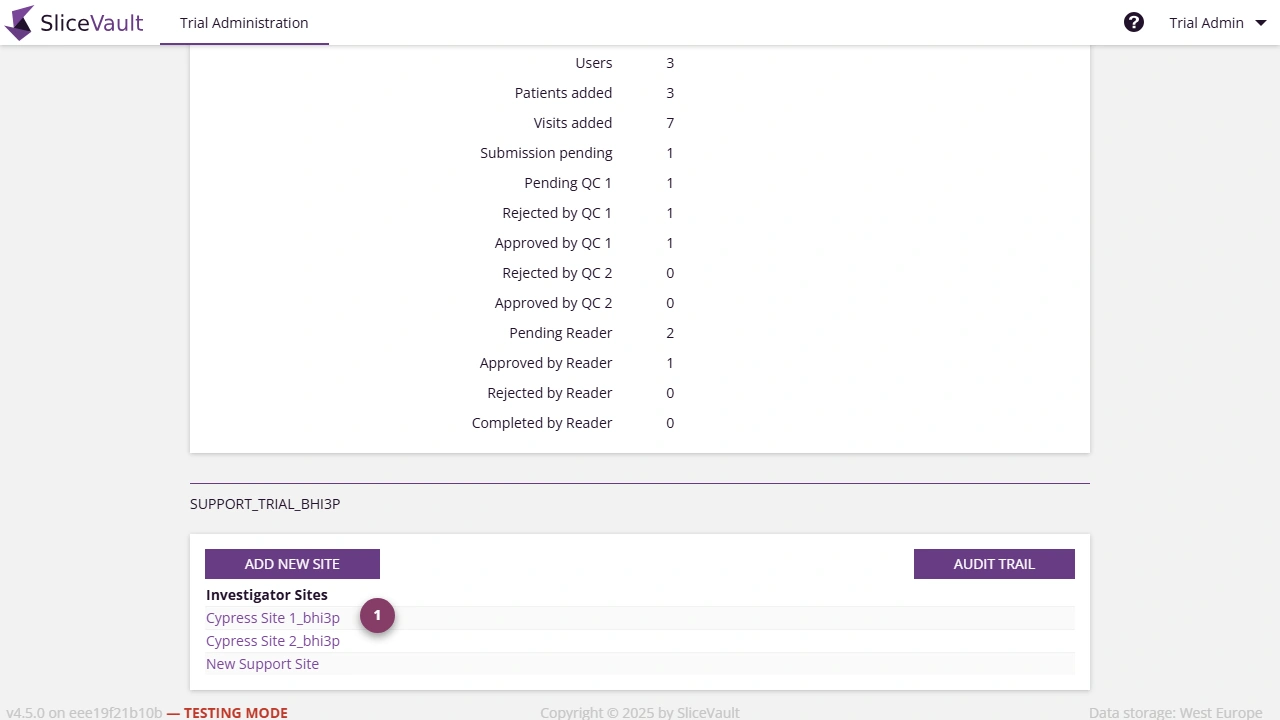
- Use 1 to open the site you want to edit.
Patient IDs
You control how Patient IDs are assigned at each site. A site must have at least one active method for assigning Patient IDs in order to add patients. You can configure one or both of the following:
-
Pre-assigned Patient IDs
Create a predefined list or range of IDs. Investigators select an available (vacant) ID from a dropdown when uploading data. This ensures consistent formatting and prevents duplicates. -
Investigator-defined Patient IDs
Allow investigators to manually enter a Patient ID. The entered ID must follow the project-specific syntax defined for the trial.
Both options can be enabled at the same time, giving investigators the choice between selecting from the list or entering a valid ID manually.
Important The ability to create new patients and upload data is disabled if there are no vacant predefined Patient IDs and manual entry of Patient IDs is not enabled. At least one of these options must be active for the site to add new patients.
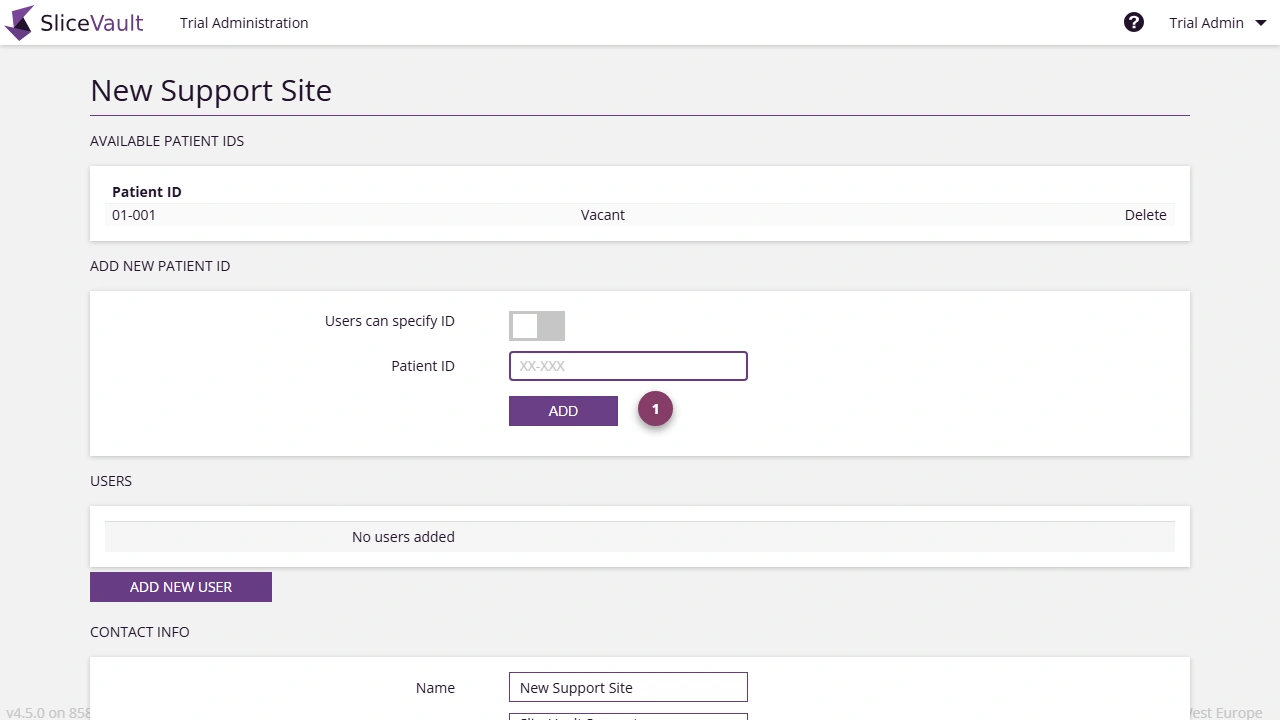
- Use 1 to add or manage pre-assigned Patient IDs for the site.
Contact Information
You can update the site name, edit the primary contact, and add additional contacts if required.
Site Access Logic
Each site has a status that controls whether its users can log in to SliceVault. Access is determined by two conditions working together:
- The site must be active
- The current date must fall within the trial start and trial end dates
Only when both conditions are met can users from the site log in.
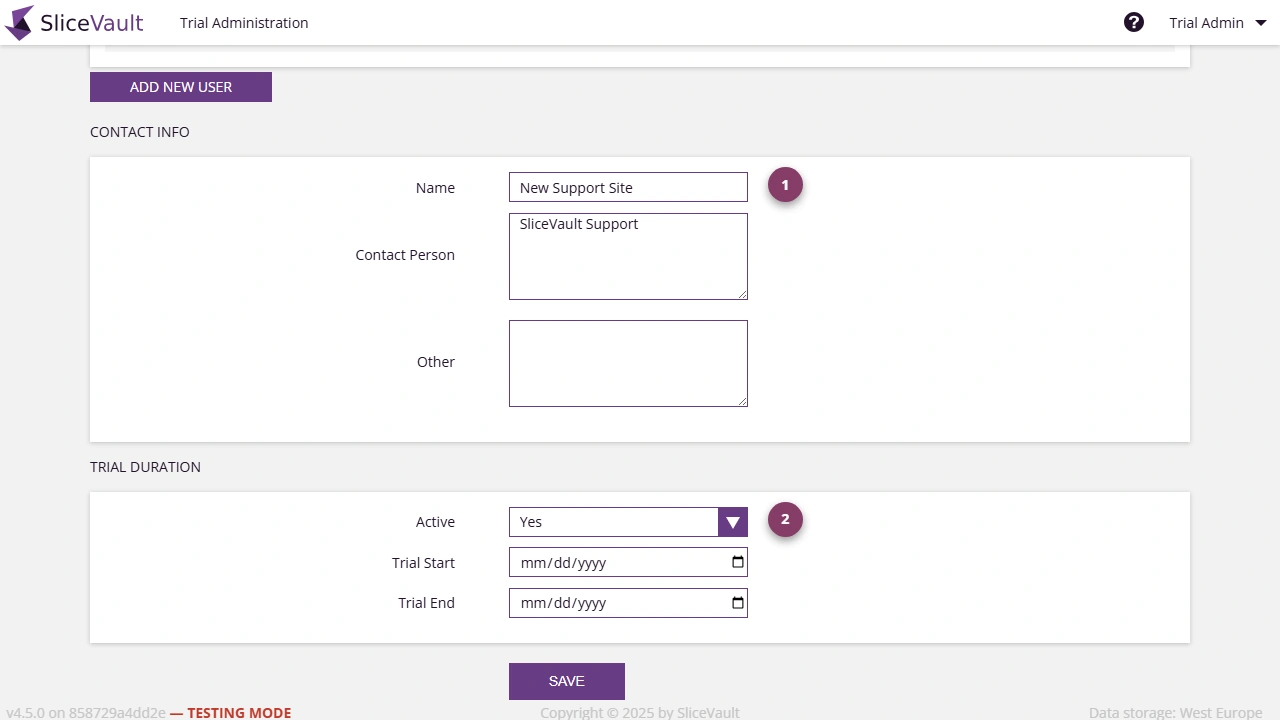
- Use 1 to review the lower site details section.
- Use 2 to review the site activation setting.
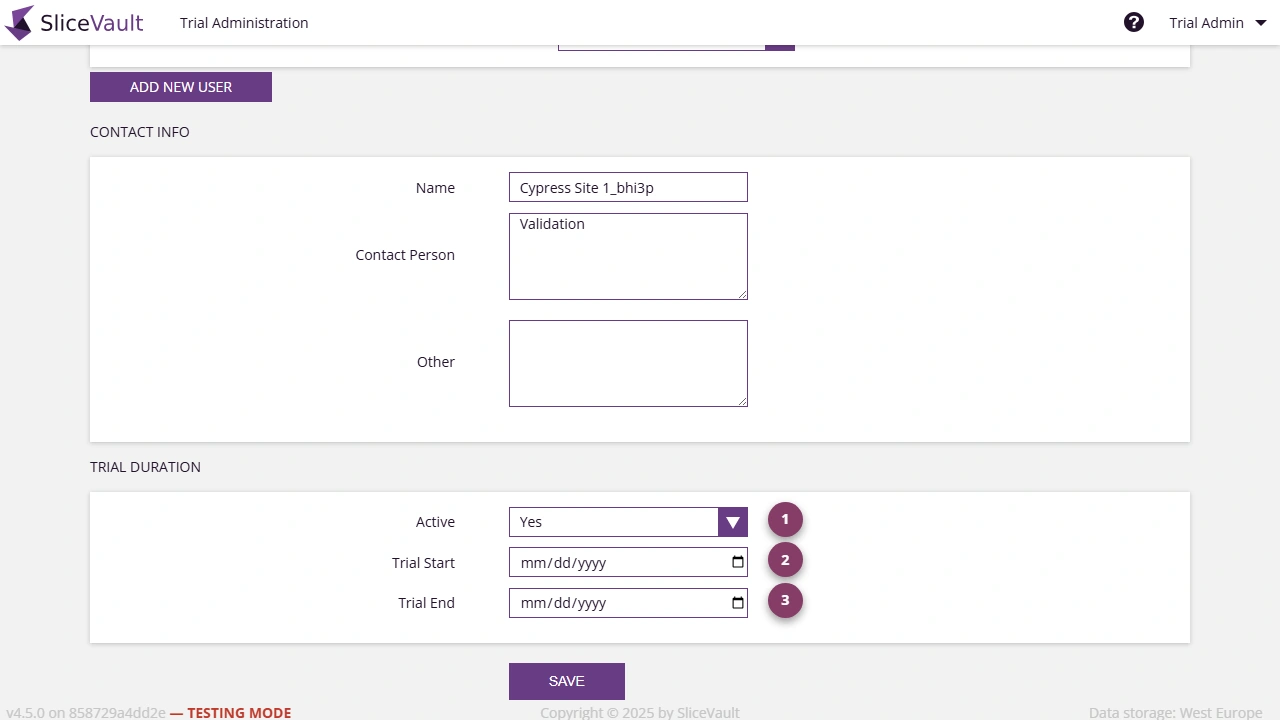
- Use 1 to activate or deactivate the site.
- Use 2 to set the access start date.
- Use 3 to set the access end date.
How This Works in Practice
- If a site is active, users can log in only during the defined trial date window
- If a site is inactive, users cannot log in, regardless of the trial dates
- When the trial end date is reached, the system automatically sets the site to inactive to block access
Users cannot log in after extending trial dates: Changing or extending the trial end date alone does not re-enable access. If a trial end date has already passed and you want to allow users to log in again, you must set a new future trial end date and manually set the site to active. If the trial dates are in the future but the site remains inactive, users will still be unable to log in.
For a focused troubleshooting guide on restoring site access, see Why can’t a whole site access the study?.
Investigator Access Levels
Configure how investigators can interact with the site and its data.
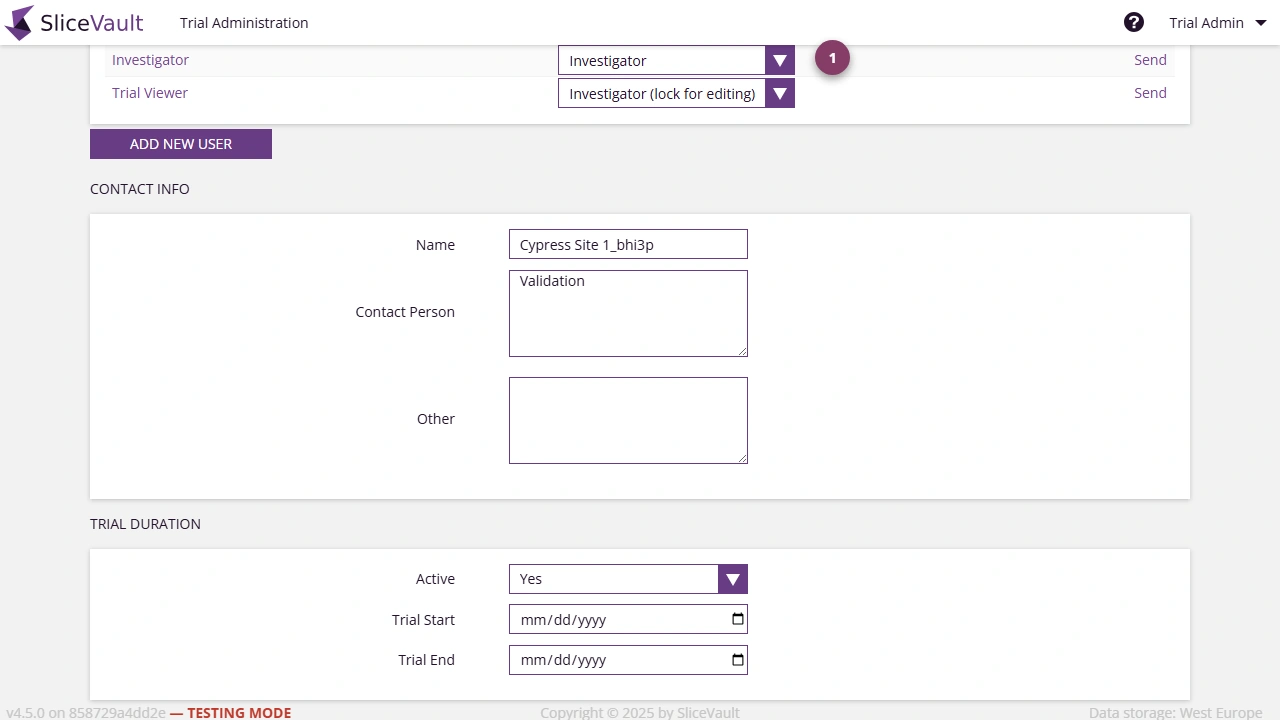
- Use 1 to set the investigator access level for the site.
Available access levels include:
- Investigator, who can upload data and complete forms
- Investigator (locked for editing), who has read-only access and cannot upload or complete forms
- Access revoked, where the user cannot log in to the repository
For user management details, including roles and permissions, see Manage Users.