Need an Adjudicator?
Access note: This feature is only visible when the relevant add-on has been enabled for the study and assigned to your user account. If you cannot see it, contact your Trial Administrator or main study contact. Trial Administrators can review add-on access in Edit User Access.
Use Adjudication when the study needs an additional Reader to resolve disagreement or provide a final decision.
Typical Users
- Quality Control Managers who trigger adjudication
- Readers assigned as adjudicators
- Project staff overseeing discrepancy workflows
What Problem It Solves
Adjudication is used when the standard Reader workflow is not enough and a further decision is needed on a visit.
How It Works
Trigger Adjudication
If you are a QC2 user, or a QC1 user with the Share with Reader add-on, you can notify the adjudicator from the Visit Dashboard.
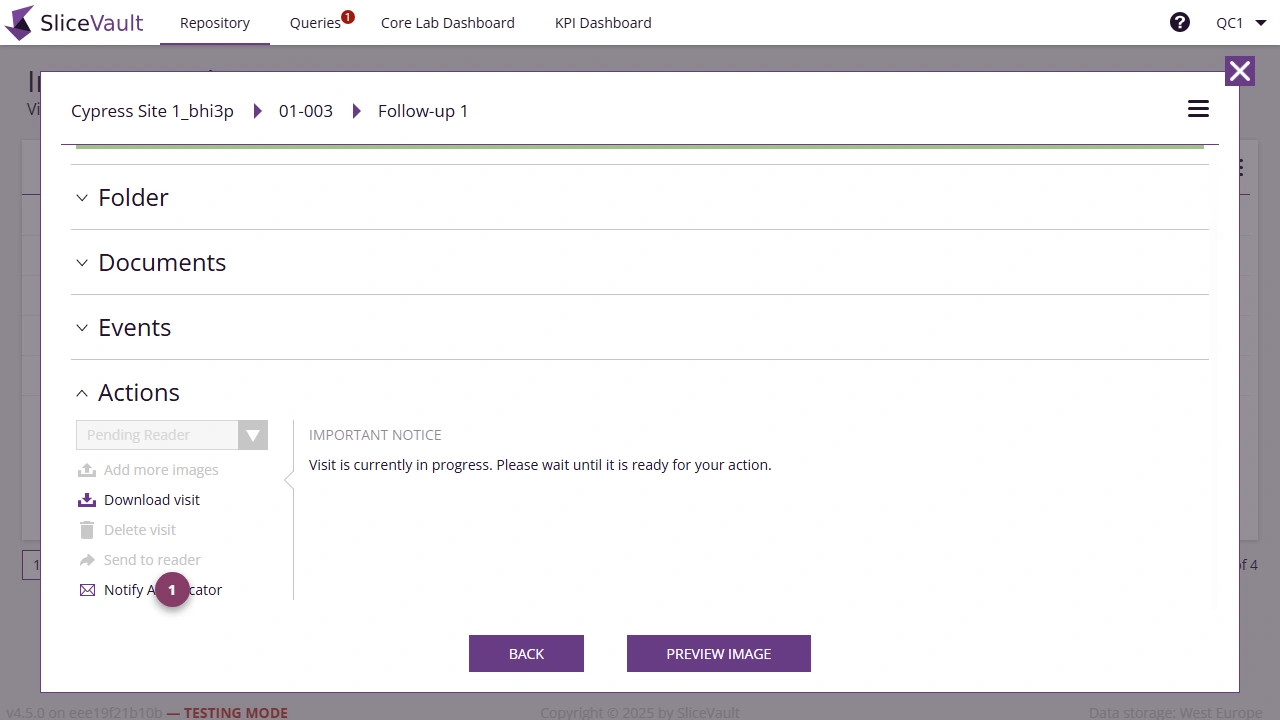
- Use 1 to notify the adjudicator from the Visit Dashboard.
When the Notify Adjudicator action is used, SliceVault sends an automatic notification to the designated adjudicator.
Receive Adjudication
If you are assigned the adjudicator role as a Reader, you will receive an email with a link back to the case so you can review it and provide the required assessment.