Need to Upload Unredacted Files?
Access note: This feature is only visible when the relevant add-on has been enabled for the study and assigned to your user account. If you cannot see it, contact your Trial Administrator or main study contact. Trial Administrators can review add-on access in Edit User Access.
Use Upload Un-Redacted Data only when files must be stored in SliceVault without de-identification or standard image processing.
Typical Users
- Investigators
- Quality Control Managers
- Support workflows handling problematic source files
What Problem It Solves
This feature provides a controlled route for raw files that should not pass through the normal de-identification pipeline.
Important Restrictions
- Files uploaded by this route are not de-identified.
- Files uploaded by this route are not viewable in the SliceVault DICOM Viewer.
- Access is role-restricted and must be enabled per study.
How to Use It
- Start the normal upload process and move to the select-files step.
- Click the unredacted upload link below the dropzone.
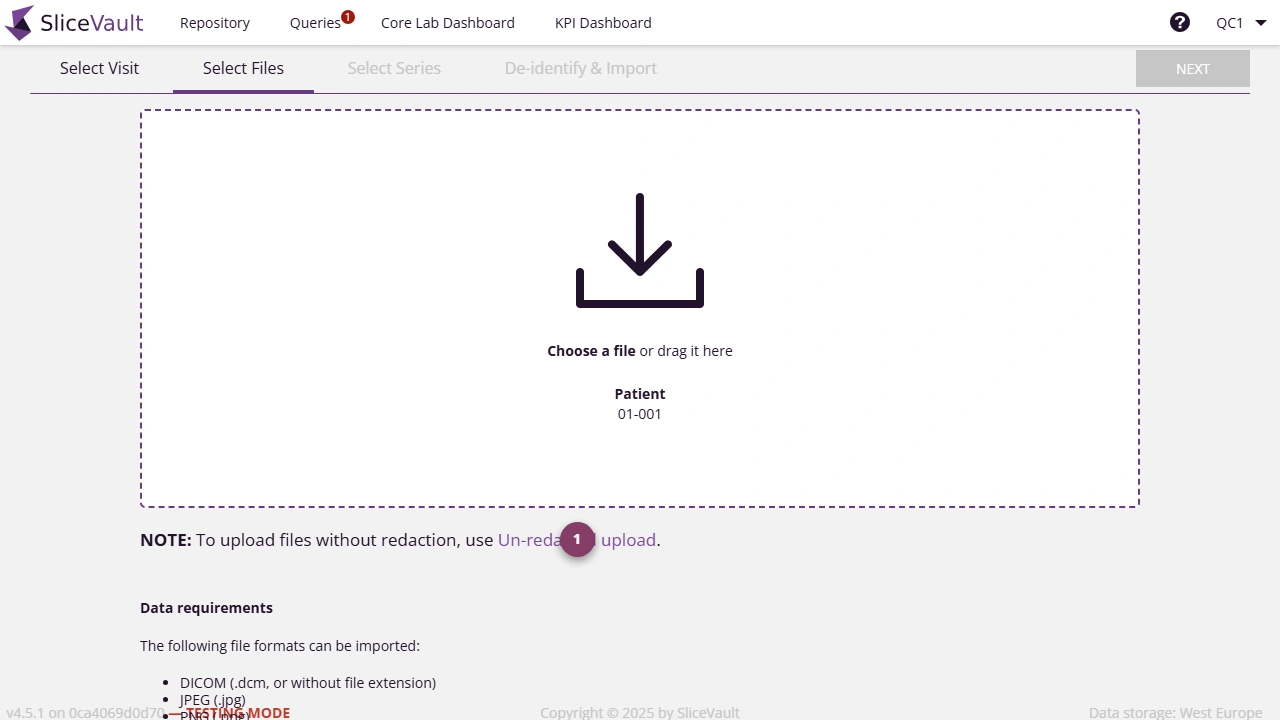
- Use 1 to open the unredacted upload route from the upload flow.
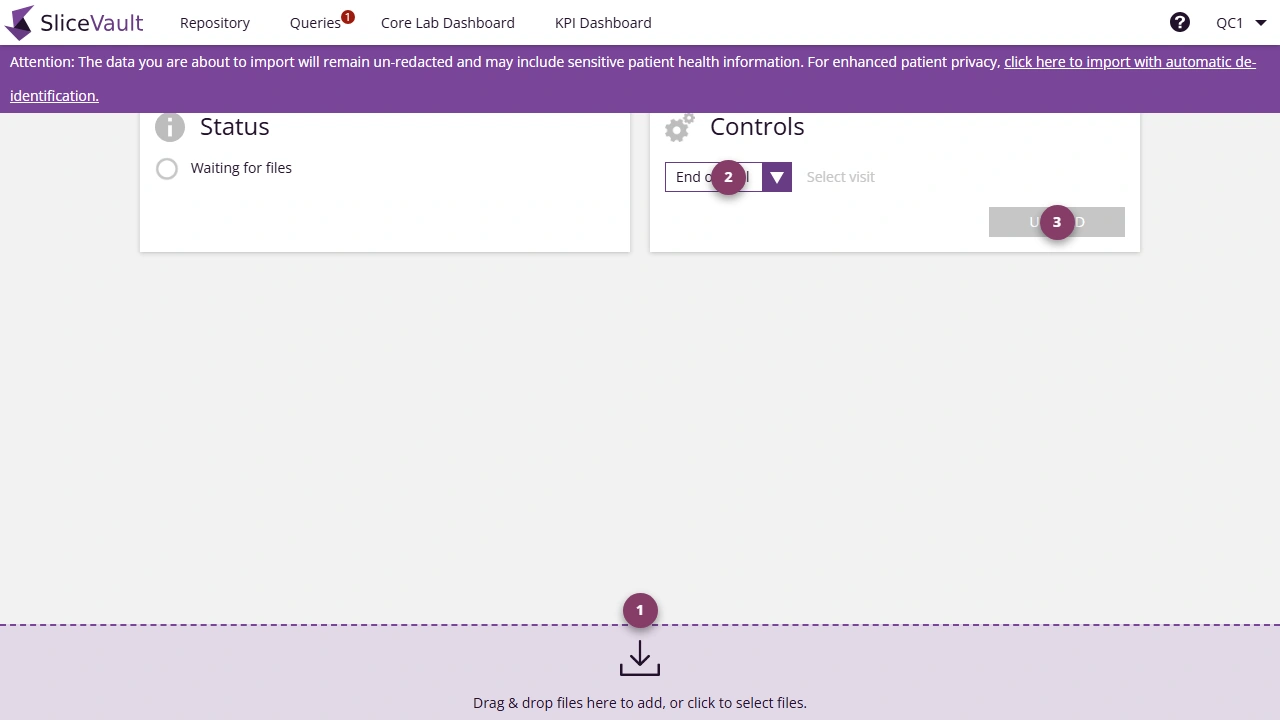
- Use 1 to drag the files into the dropzone.
- Use 2 to select the target visit.
- Use 3 to start the upload.
Typical Use Cases
- troubleshooting when SliceVault cannot process a source dataset correctly
- storing non-standard or non-DICOM study files for review