Open the Visit Dashboard
The Visit Dashboard is the main workspace for an Investigator after data has been uploaded. It is where you review uploaded series, open the viewer, complete forms, respond to queries, and submit the visit.
Find the Correct Visit
Start from the Study Repository. Locate the patient row and then find the visit column you want to work with.
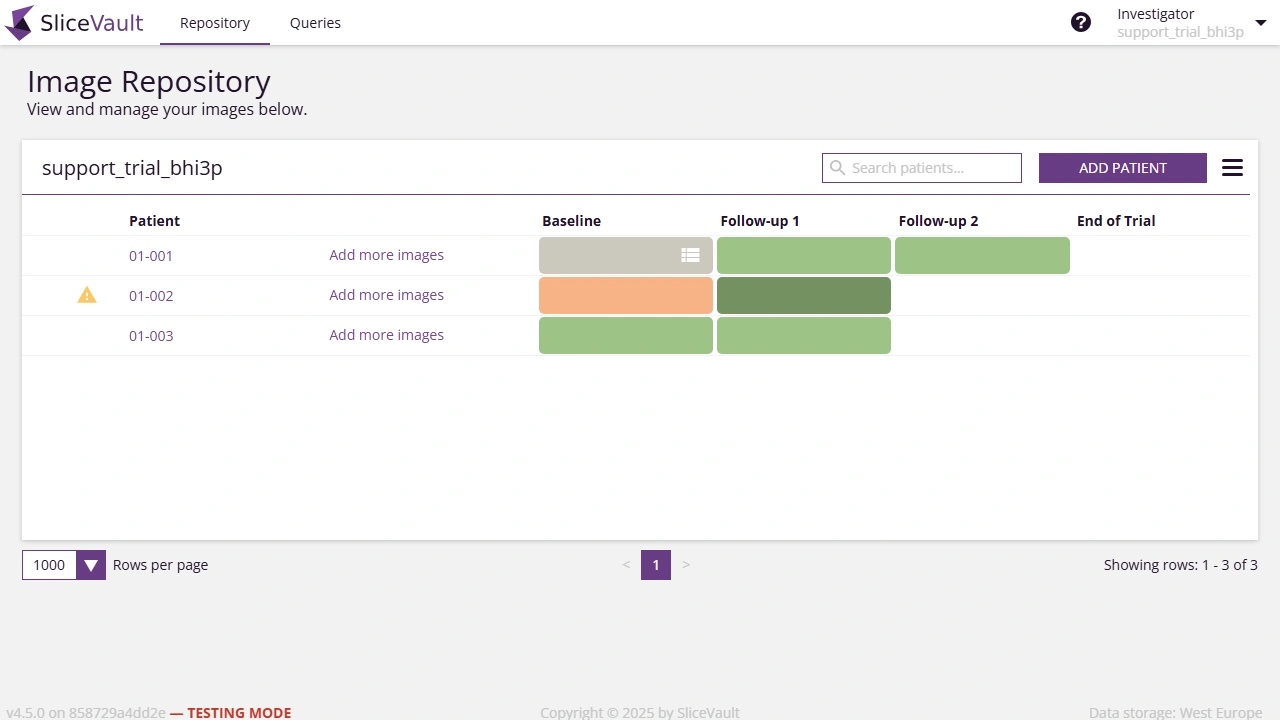
Click the colored square to open the Visit Dashboard for that patient and visit.
What You Can Do in the Visit Dashboard
Once the dashboard opens, the main layout is:
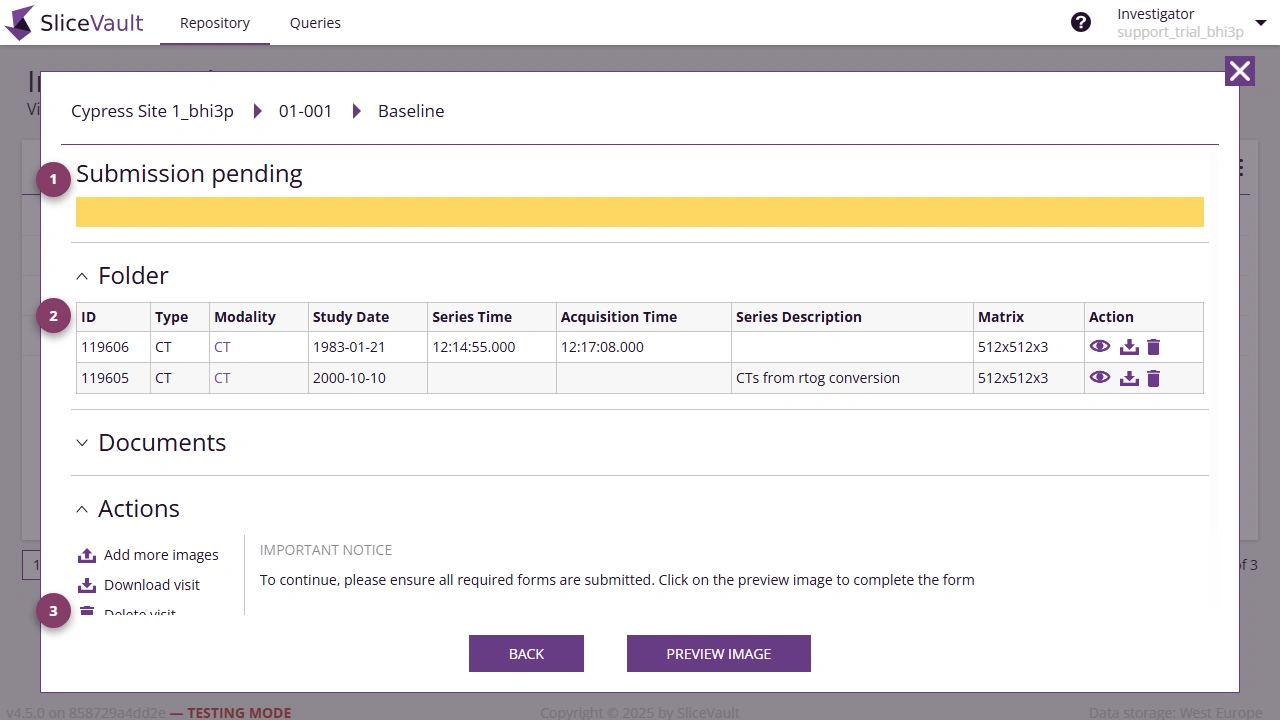
- Use 1 to view the current status of the visit.
- Use 2 to view and access data uploaded to the visit.
- Use 3 to perform actions such as submit visit and preview images to open the viewer for images, forms, and queries.
When to Use This Page
Open the Visit Dashboard whenever you need to:
- check whether a visit is still editable
- verify that uploaded files are attached to the correct visit
- complete a Data Transfer Form
- respond to a query
- submit the visit