Workflow
This page is about what happens after data is uploaded. For a basic overview of standard workflow stages and visit statuses, see Data Processing Workflow.
What often makes project configuration harder is that the workflow does not always end in the same place for every visit. One visit may stop after QC approval, while another may continue to central reading and only be considered finished after reader completion. The right end stage depends on what that visit is meant to achieve in your study.
This is where SliceVault becomes especially useful. SliceVault handles the workflow orchestration in the background: it controls who can see a visit, which forms and actions become available, when a visit moves to the next role, and when that visit is considered finished. That means the repository can support simple visits and more complex visits side by side, without your team having to manage that logic manually.
Users usually experience this through visit actions and status changes.
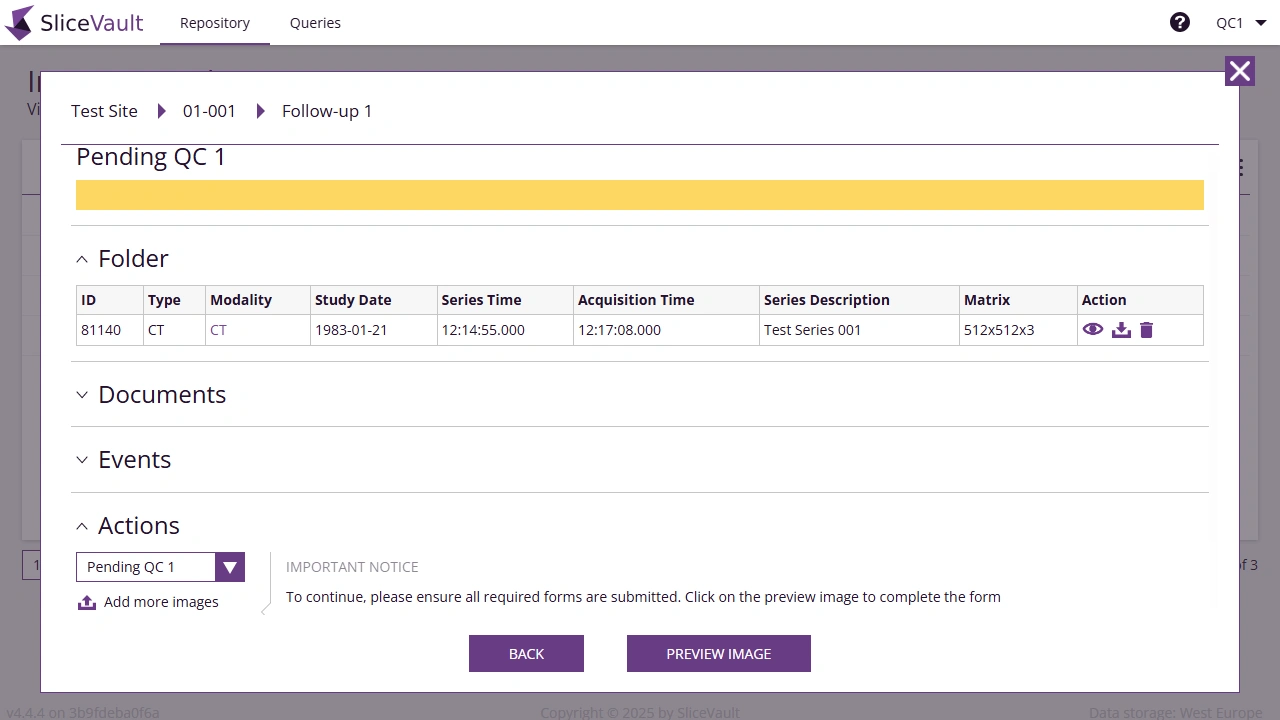
Some projects also include extra workflow features such as a second QC step, direct sharing to readers, adjudication, eligibility review, or automatic progression after approval. These do not need to apply to every visit in the same way, which is why it helps to describe the intended workflow visit by visit if the study is complex.
What We Need From You
Please describe the review workflow after upload. Tell us whether there is one QC step or two, whether readers or adjudicators are involved, and where each visit should end. If some visits finish after QC approval while others continue to reader review, please call that out clearly. If there are timing targets, automatic transitions, eligibility rules, or other exceptions, include those too.