Forms
Many projects need structured forms alongside uploaded images. These may be used at submission, during QC, during reader review, or at other stages in the workflow for eligibility assessment, discrepancy handling, or formal sign-off.
A common example is the investigator-side Data Transfer Form.
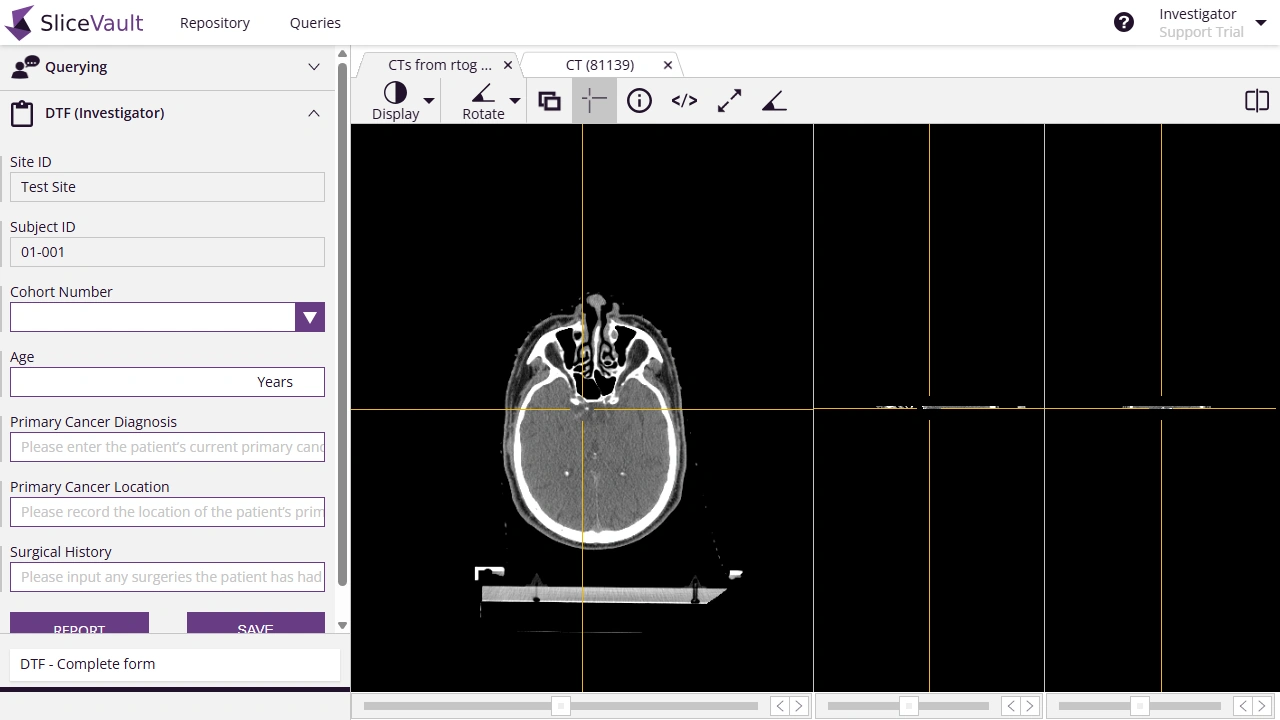
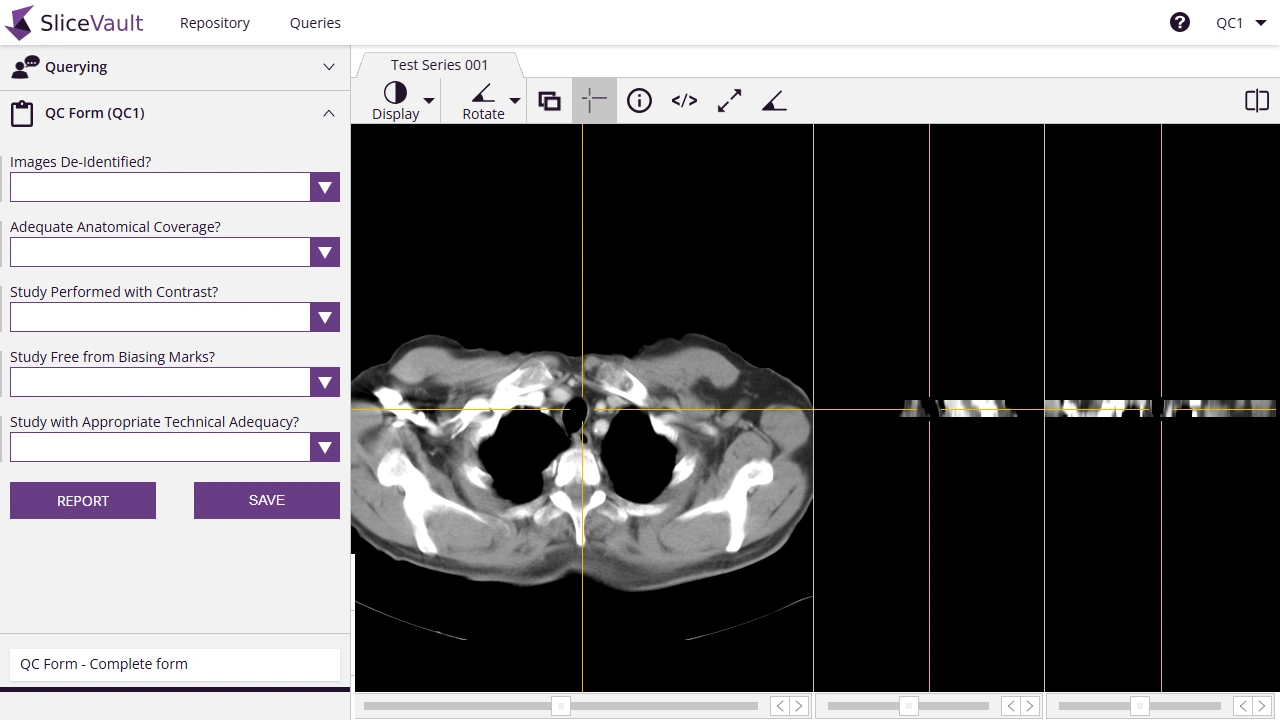
Other forms appear later in the workflow, for example during QC, where forms can be used to document a consistent quality review across the study.
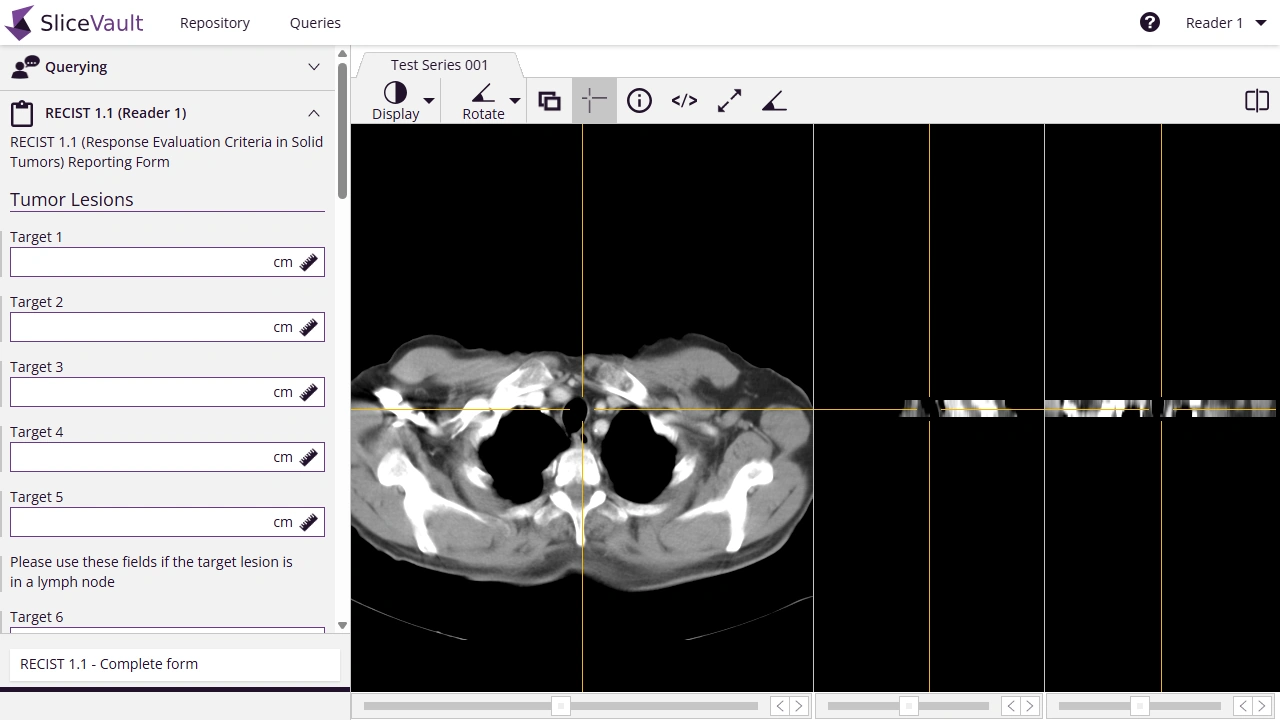
Standard reader assessment forms, such as RECIST 1.1, RANO, HEAD-US, and IPSG, can be added, and custom forms can also be tailored to your project’s needs.
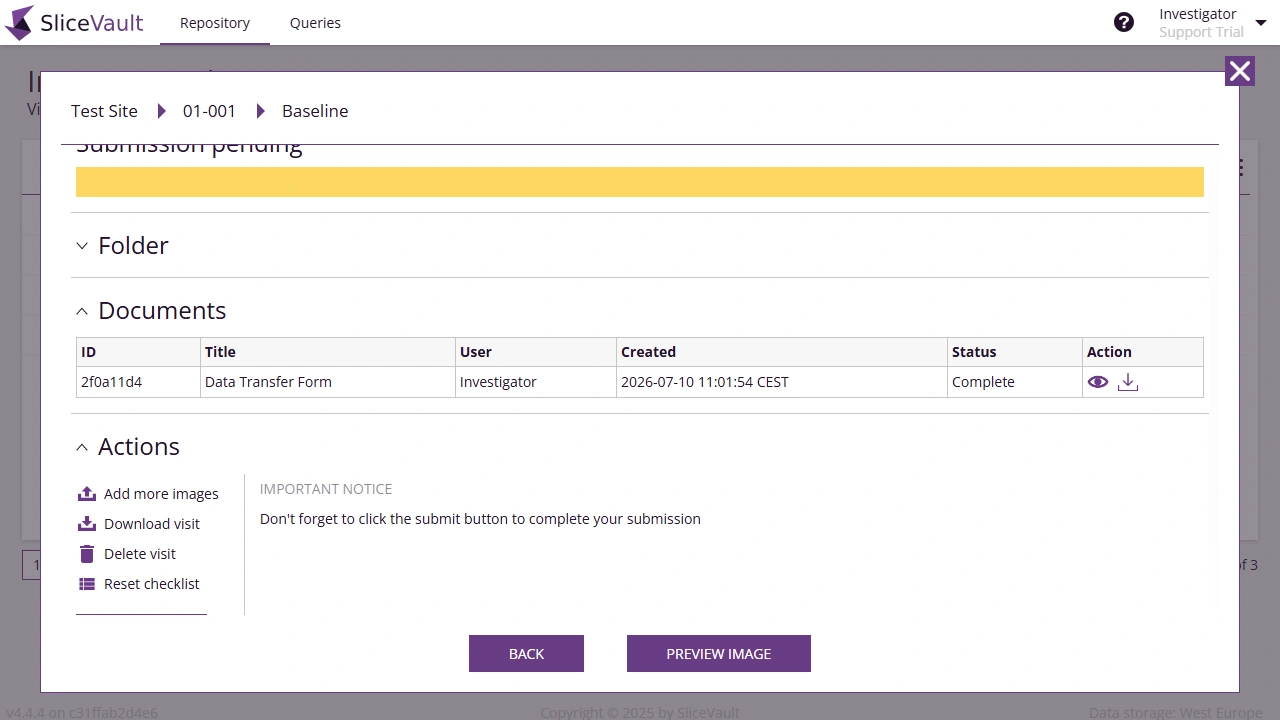
If your project generates downloadable outputs from forms, users may also see them in the documents area.
What We Need From You
At the highest level, please tell us which forms are needed, which role completes each one, which visits they belong to, and whether completed forms should stay editable or become locked.
It is also helpful to know how simple or advanced each form needs to be. Some forms are straightforward and only need a small set of fields. Others need answer choices, required fields, read-only fields, default values, calculations, or validation rules SliceVault can support that more advanced behavior, but it only needs to be used where it adds value.
You do not need to describe any of this in technical configuration terms. The most helpful input is usually an example form, a field list, a PDF, a spreadsheet, or annotated screenshots showing what the form should contain and how it should behave. We then translate that into the SliceVault configuration.
As a starting point, you can also use our Field List for Data Transfer and QC Forms if you want a structured way to describe the fields.