Visit Dashboard Actions
After opening a visit from the repository, the Visit Dashboard becomes the main workspace for Reader review. This is where you inspect the visit, open the viewer, and move the assessment forward.
Open the Dashboard
From the repository, click the yellow square in the repository for the visit that is pending your assessment.
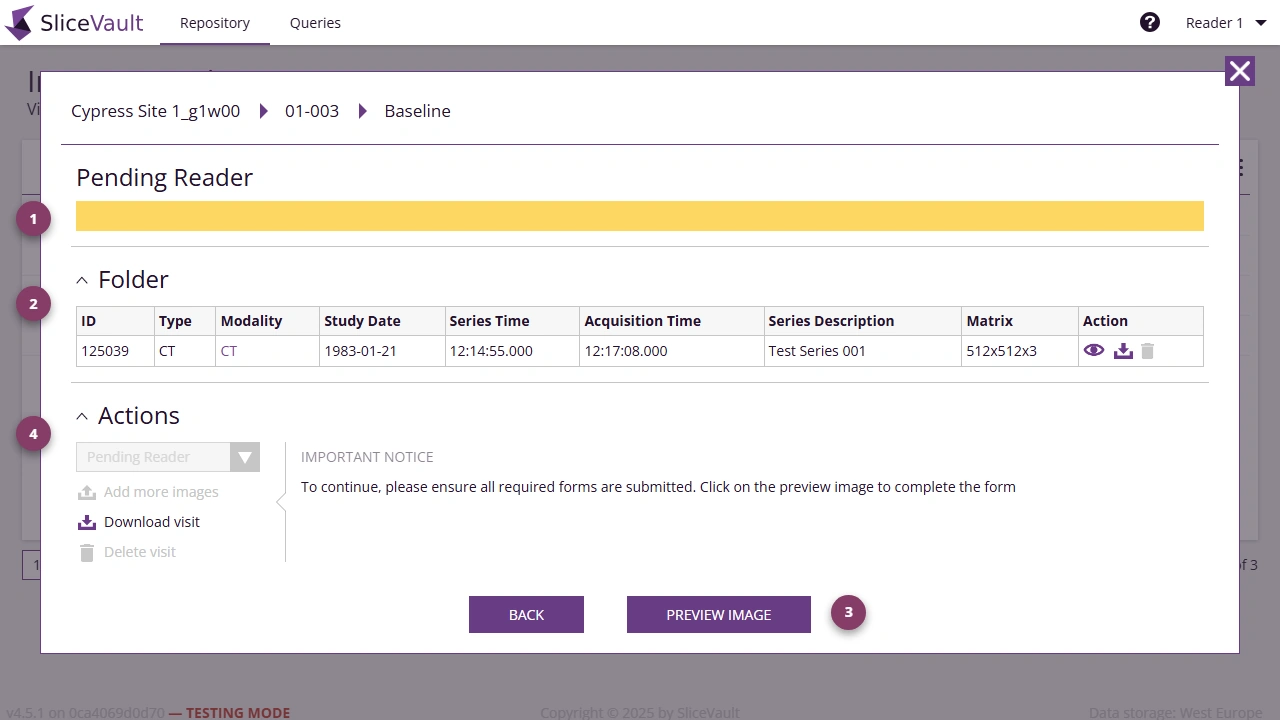
- Use 1 to review the first visit content section, such as uploaded data or study records.
- Use 2 to review the main visit content section before you begin the Reader task.
- Use 3 to open Preview Image for images, forms, and queries.
- Use 4 to review the lower workflow area before completing the Reader step.
Continue the Reader Workflow
From here you can continue to: