Need to Change an Image Type?
Access note: This feature is only visible when the relevant add-on has been enabled for the study and assigned to your user account. If you cannot see it, contact your Trial Administrator or main study contact. Trial Administrators can review add-on access in Edit User Access.
Use Image Type Editor when an uploaded series has the wrong image type label and must be corrected after upload.
Typical Users
- Investigators
- Quality Control Managers
- Other roles with image type editor permission
What Problem It Solves
This feature lets authorized users change the image type label on a stored series without re-uploading the data.
How to Use It
- Open the visit dashboard and expand the folder section.
- Click the current image type label on the series you want to change.
- Select the correct label from the configured list.
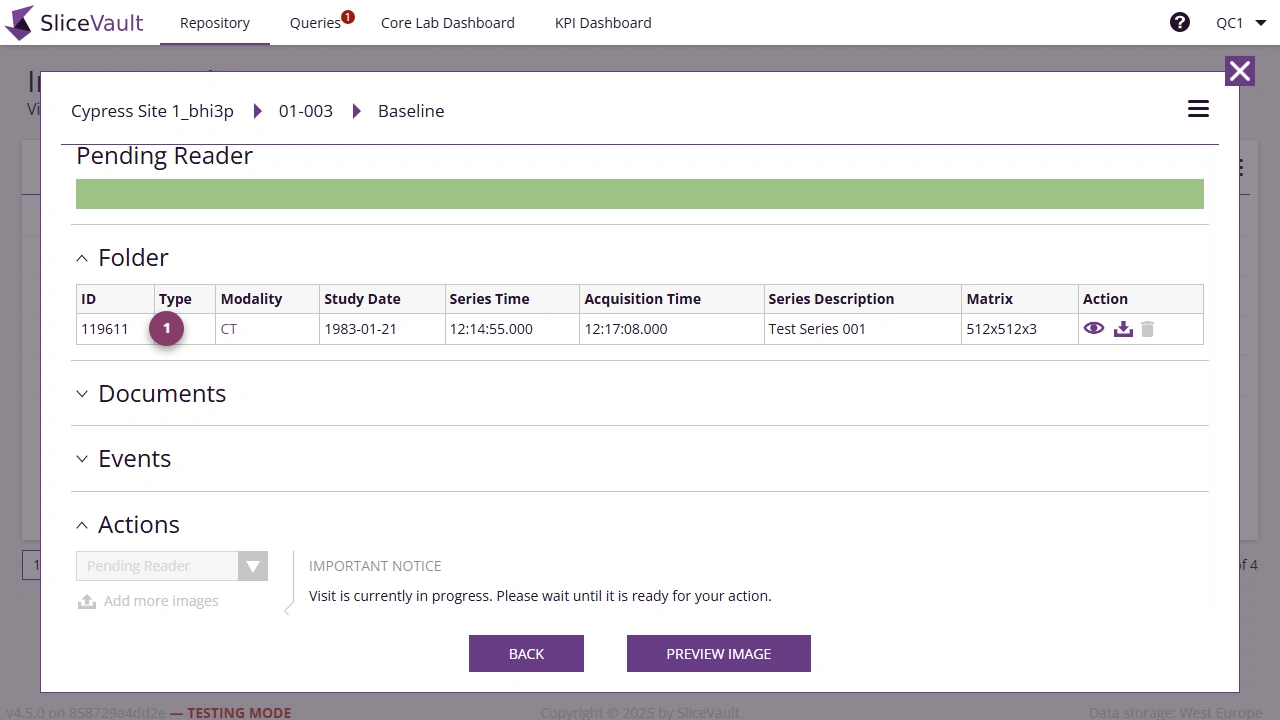
- Use 1 to open the image type selector for the series you want to correct.
Important Notes
- Only labels configured for the project are available.
- Changing the label can affect how the image is displayed or grouped elsewhere in SliceVault.