Download Data
You can view and download data directly from the Visit Dashboard. You can download the entire visit or individual images depending on your needs.
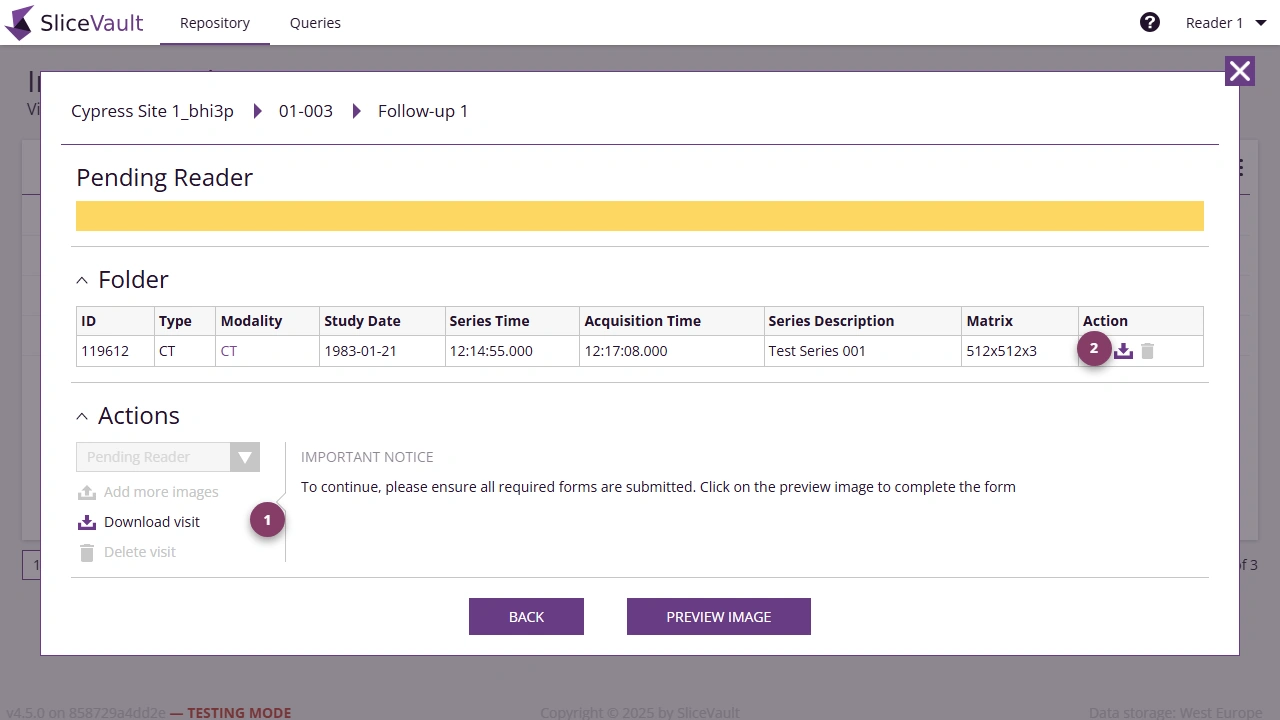
- Use 1 to download the full visit package from the Actions section.
- Use 2 to download an individual file from the Folder section.
If the download options are not available for the visit you opened, first confirm that you are on the correct visit and that the study allows Reader downloads.
For repository reports and shared export concepts, see Reports and Exports.