Reports and Exports
SliceVault supports two common ways of getting information out of the system:
- repository-level reports for oversight and study management
- visit-level downloads and document exports from the Visit Dashboard
Use this page when you need to understand where exports come from and which kind of output to expect.
Repository Reports
Repository reports are used for compliance, progress tracking, query oversight, and study exports.
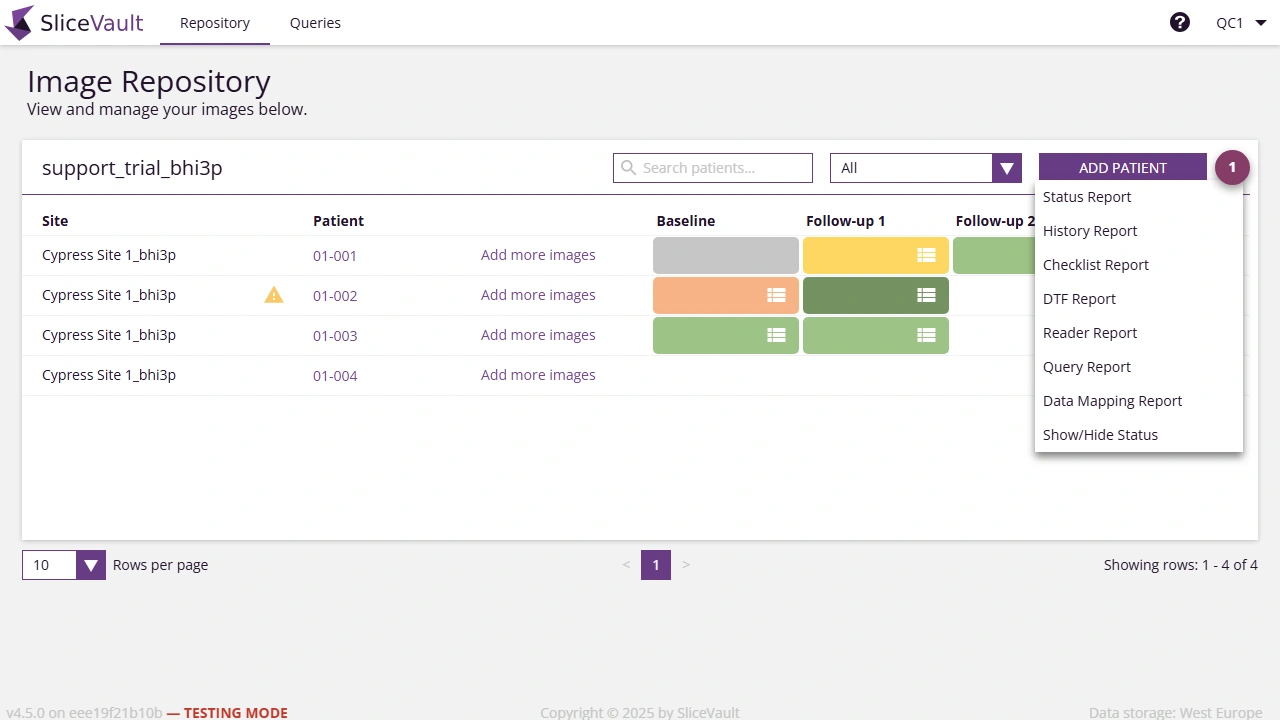
- Use 1 to open the report and export menu from the repository.
Typical report categories include:
- audit and user reports
- query and history reports
- checklist, DTF, and reader reports
- image status and tracking reports
- study-specific exports
Available reports depend on study configuration and role permissions.
Visit-Level Exports
Many studies also allow users to download data, documents, or generated PDFs directly from the Visit Dashboard. The exact options depend on role, workflow stage, and study configuration.
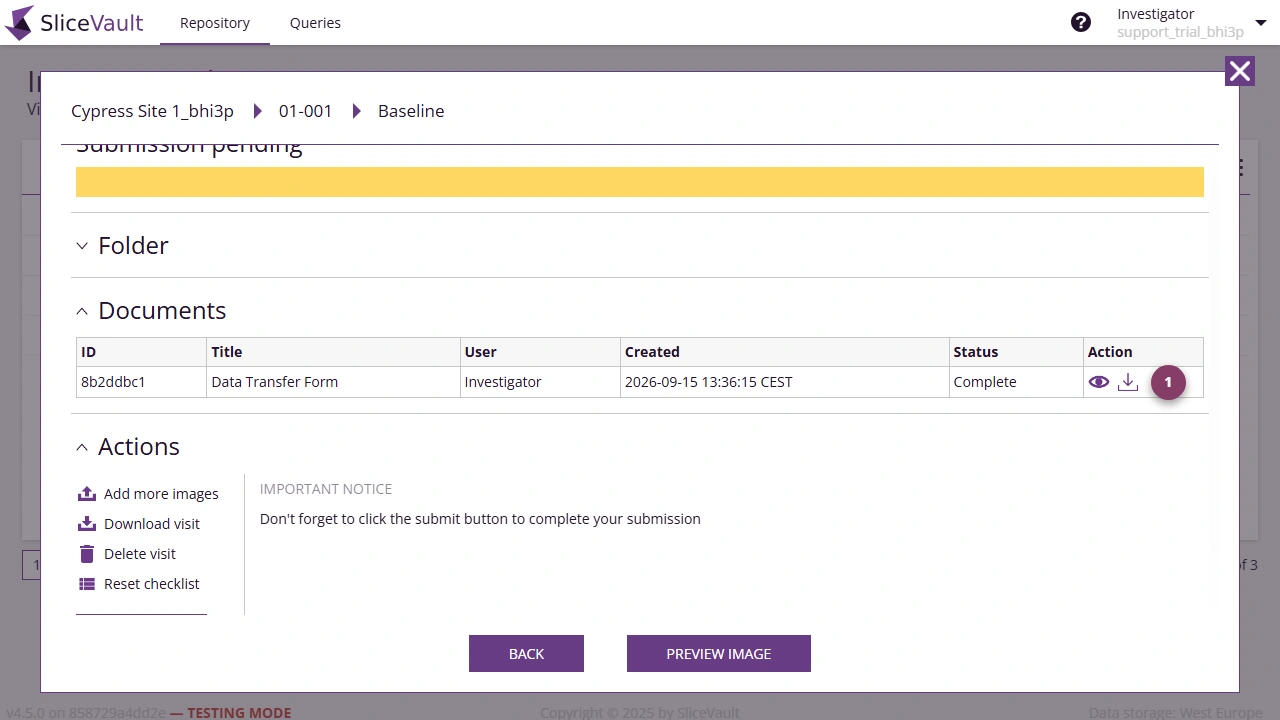
- Use 1 to download the generated document or PDF shown in the Documents section.
Visit-level downloads are most common when you need a completed form, PDF record, or visit package rather than a study-wide report.
Common Report and Download Questions
- Use this page if you need a study-level report or a visit PDF/document
- Why is my download missing?
- Why are forms or downloads still unavailable?
- Reader: Download Data, if you need the Reader download page
- QC: Download Data, if you need the Quality Control Manager download page
Related Role Guides
If expected documents or downloads are missing, continue to Why is my form, document, or download missing?.