Why Is SliceVault Asking Me to Mask Every CT or MRI Slice?
If you are importing a CT or MRI study, it should normally be uploaded in DICOM format. When CT or MRI data (or any other multi-slice modality) is exported as PNG, JPEG, or screen captures, SliceVault treats the files as individual images and will scan each one for burned-in annotations.
Because these studies often contain hundreds of slices, uploading them as image files can trigger hundreds of OCR detections and masking prompts, which is time consuming.
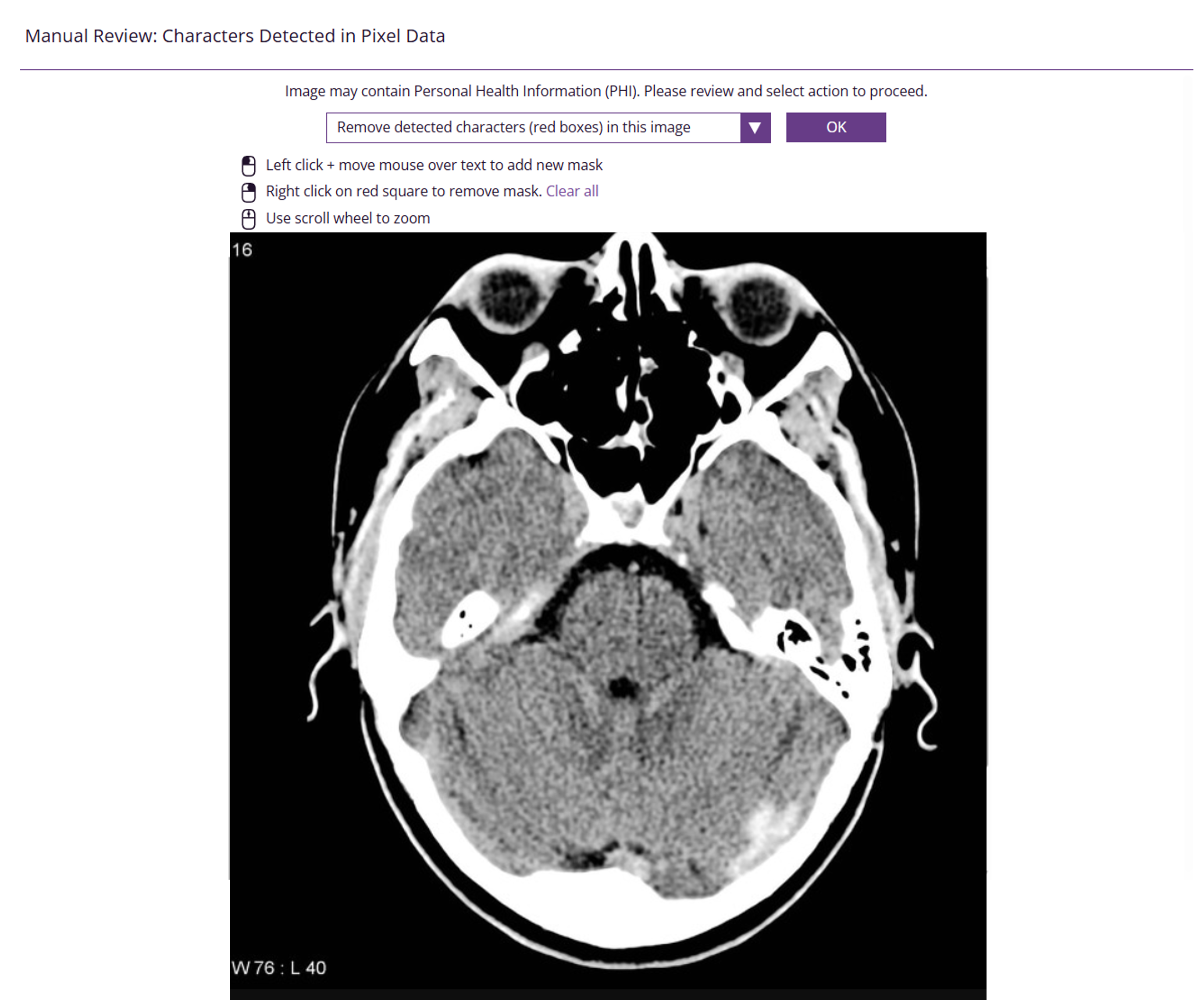
Why this happens
SliceVault must scan PNG, JPEG, and similar image formats for burned-in annotations because these formats frequently contain sensitive patient information directly in the pixels (for example names, IDs, timestamps, or site labels). This is a required safety check to protect patient privacy and support compliance.
The real issue
The root cause is usually that the study has been converted from DICOM into a set of images.
When data is converted from DICOM to PNG, JPEG, or screen captures:
- The study becomes a large set of individual image files
- Important imaging data can be lost (for example intensity values and Hounsfield Units)
- Burned-in text becomes more likely and harder to separate from image content
- SliceVault must assume each image may contain PHI and require review
Once converted, the data cannot be restored to original DICOM quality.
How to fix it
Re-export the CT, MRI, or other modality in DICOM format, then upload the DICOM files to SliceVault.
Uploading DICOM:
- Preserves clinical image data and meaning
- Avoids treating each slice as a separate image upload
- Prevents OCR and burned-in annotation review from triggering in the same way
- Makes upload and review significantly faster
If you cannot re-export to DICOM
If you must proceed with PNG, JPEG, or screen captures, you will need to manually review and mask identifiers on each image. This is required to protect patient privacy.