Image Downscaled in Viewer
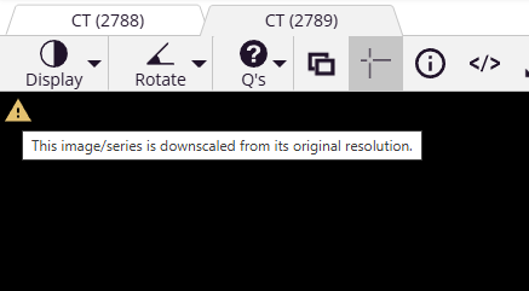
Error message: This image/series is downscaled from its original resolution.
Applies to: All modalities viewed in the embedded DICOM viewer.
Typical symptom: The image is visible but may appear less sharp than expected, and a message indicates that the image has been downscaled.
Why this happens
SliceVault’s embedded DICOM viewer runs directly inside the web browser. Browser-based image rendering is subject to memory limits, GPU constraints, and browser-specific restrictions.
To ensure online viewing across systems and browsers, SliceVault may automatically reduce the displayed resolution of large images. This allows the study to remain viewable even when full native resolution exceeds client-side rendering limits.
This is most commonly seen with:
- High-resolution images with large X and Y dimensions
- Studies with many slices
- Multi-frame or dynamic acquisitions
- Hybrid imaging such as PET/CT or PET/MR
- Systems with limited GPU memory or integrated graphics
Downscaling is performed only for browser display purposes and does not alter the stored DICOM data.
Progressive image loading
SliceVault loads images progressively, from lower resolution to higher resolution.
When a study is opened, a lower resolution version may initially be shown while the full dataset is being loaded. During this process, the message: This image/series is downscaled from its original resolution may be displayed. Once loading is complete and full resolution is successfully rendered, the message disappears automatically.
When the message remains visible
If the message remains visible after loading has completed, the browser has determined that rendering at full resolution is not possible within available system limits. This is a client-side limitation and may be related to:
- GPU memory limits
- Integrated or low-end graphics hardware
- Browser-specific rendering constraints
- Other applications consuming GPU resources
Important note about downloads
Images downloaded from SliceVault are always provided in their original resolution. Downscaling applies only to browser-based viewing and does not modify, compress, or permanently alter the DICOM files stored in SliceVault.