Repository Tools and Alerts
The QC repository is both a work queue and a control panel. Besides showing patient and visit status, it gives QC Managers access to repository-level tools, patient actions, and attention indicators that help prioritize review work.
Repository-Level Tools
Open the repository to review the tools available around the patient list.
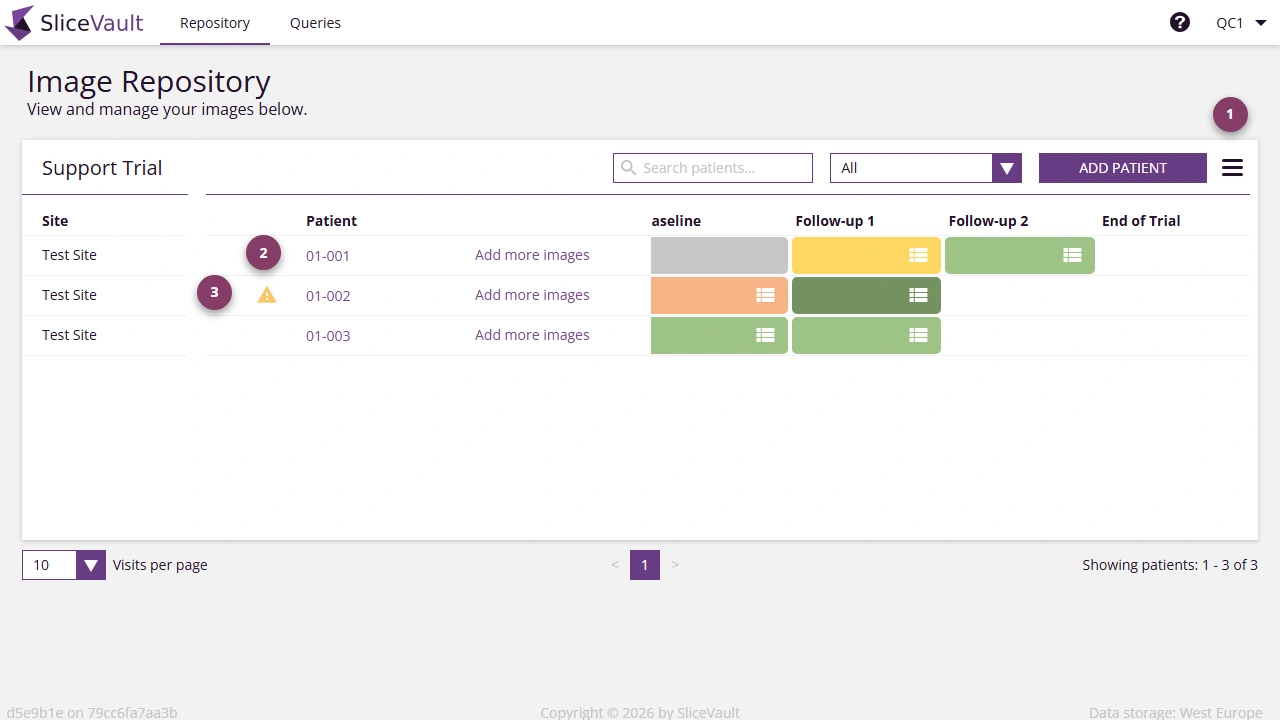
These tools are commonly used to:
- access additional repository actions from the menu
- open patient-level actions when a record needs attention
- identify patients or visits that need follow-up before QC can be completed
Attention Indicators
QC Managers should pay particular attention to:
- visit tiles that signal work is waiting in your queue
- patient attention markers
- warning icons that indicate enrollment or upload issues
These indicators help you decide which visits need immediate review and which ones are blocked by earlier workflow steps.
Related Pages
- For the main repository overview, see Study Repository
- For visit-level QC actions, see Visit Dashboard Actions
- For form completion, see Fill Out QC Form